
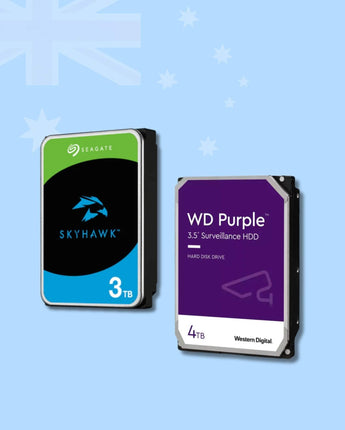
3TB & 4TB Hard Drives (HDD) for CCTV & NVR
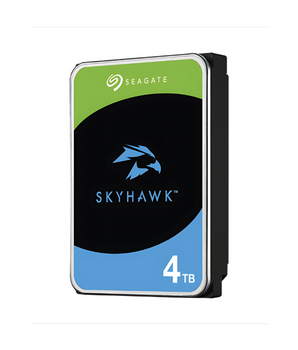
4TB and 3TB surveillance hard drives from WD Purple and Seagate SkyHawk, built for 24/7 recording in NVRs and DVRs. A 4TB drive is the usual choice for a 4–8 camera home or small-business system. Use the guide below to work out how many days of footage you will keep.
How many TB do I need for CCTV?
Storage depends on how many cameras you run, their resolution and bitrate, and whether you record 24/7 or only on events. A quick rule: GB per day ≈ bitrate in Mbps × 10.8 per camera. The table gives approximate retention for continuous recording at typical H.265 main-stream bitrates. Event or AI-triggered recording and H.265+ / Smart Codec usually stretch these figures well beyond the table.
| System (24/7 continuous, H.265) | 3 TB drive | 4 TB drive |
|---|---|---|
| 4 × 4MP cameras (~4 Mbps each) | ≈ 17 days | ≈ 23 days |
| 8 × 4MP cameras (~4 Mbps each) | ≈ 8 days | ≈ 11 days |
| 4 × 8MP / 4K cameras (~8 Mbps each) | ≈ 8 days | ≈ 11 days |
| 8 × 8MP / 4K cameras (~8 Mbps each) | ≈ 4 days | ≈ 5 days |
Estimates only. Actual retention depends on scene activity, frame rate, codec settings and the formatted capacity of the drive.
FAQ
How many days does a 4TB hard drive record?
On a 4-camera 4MP system recording 24/7 at about 4 Mbps per camera, a 4TB drive holds roughly 3 weeks of footage. An 8-camera 4MP system gives about 11 days. Event-based recording extends this significantly.
Is 4TB enough for 8 cameras?
For 8 × 4MP cameras recording 24/7, 4TB gives about 11 days, which is enough for many homes. For 8MP (4K) cameras, or if you need 30 days, step up to a 6TB or 8TB drive.
Do I need a surveillance hard drive, or will a desktop drive do?
Use a surveillance-rated drive such as WD Purple or Seagate SkyHawk in an NVR or DVR. They are built for the constant write load of 24/7 recording. Desktop drives are designed for lighter, intermittent use and are a common cause of recorder faults in the field.
Will this drive fit my NVR?
These are standard 3.5-inch SATA drives, which suit most Hikvision, Dahua and HiLook NVRs and DVRs. Before you buy, check two things on your recorder's datasheet: the maximum capacity it supports per SATA bay, and how many bays it has.
How do I get more days of footage?
Record on motion/AI events instead of 24/7, use H.265+ or Smart Codec, lower the frame rate (12–15 fps is plenty for most sites), or step up to the next drive size. Most recorders overwrite the oldest footage automatically when the drive is full.
Do you sell to installers and trade?
Yes. VIRTUS ELECTRONICS is an Australian online store. Trade customers can apply for a trade account, and you can request a quote for larger or multi-site orders.


Why Buy from Virtus Electronics?
We design, install, and supply genuine security systems and CCTV products in Australia. Every security product we stock has been tested and used by our team. We source only authentic security equipment from authorised Australian distributors, each backed by full manufacturer warranty. In-stock orders dispatch within 1 business day of payment being confirmed, and tracking details are emailed on dispatch. Professional installers and security integrators can apply for a Trade Account.